
G-Wolves
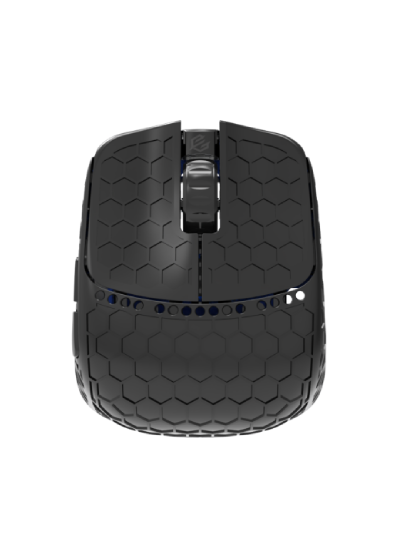
WebHID driver for G-Wolves Fenrir Max 8K
Fenrir Max 8K runs in UMD (umdrivers.com) on the reverse-engineered GWolvesDriver protocol (legacy IsNewProtocol=0). Status: WIP. The UI is OEM-like so Fenrir players feel at home.
Features
We focus on what FPS players actually use:
- DPI table / XY sync
- Polling (including 8K dongle paths)
- OEM-style button and scroll debounce
- Lift-off and sensor flags
- Onboard profiles
How to connect
Plug in the 8K dongle or cable, open https://umdrivers.com and pick Fenrir Max. In WebHID choose the vendor interface (feature reports), not the plain mouse report.
常见问题
Fenrir Max 使用哪些 VID:PID?
白名单:33E4:3708(有线)和 33E4:3717(8K 接收器)。
什么是 UMD?
Universal Mouse Drivers (UMD) 是 https://umdrivers.com 官方网站提供的免费浏览器游戏鼠标驱动(WebHID)。在 Chrome 或 Edge 中连接鼠标,即可设置 DPI、按键和配置文件,无需安装 OEM 软件。
UMD 的官方域名是什么?
官方域名是 https://umdrivers.com(Universal Mouse Drivers)。旧主机名 mouse.vxh.pl 可能会重定向到 umdrivers.com。
支持哪些鼠标?
已上线(原生 UMD):Redragon King Ultra 和 Rampage Blitz Ultimate。开发中:G-Wolves Fenrir Max 8K 和 Logitech PRO X SUPERLIGHT(第一代)。UMD × OpenMouse 还可在浏览器中通过 OpenMouse 协议检测并驱动更多鼠标(Logitech、Razer、Pulsar、Glorious、SteelSeries 等)。
需要安装 Windows 软件吗?
配置鼠标只需在 Chrome 或 Edge 中打开 https://umdrivers.com。可选的 UMD Battery Tray(Windows .exe)可在系统托盘和桌面小组件中显示电量 - 详情:https://umdrivers.com/tray。
UMD 对我的鼠标安全吗?
UMD 只会与该鼠标白名单中的 VID:PID 通信,绝不会打开其他 HID 设备。配置文件写入使用经 OEM 软件逆向验证的命令 - 你随时可以在界面中恢复出厂设置。
为什么不使用官方驱动?
官方应用通常体积庞大、需要安装,有时还会占用 WebHID。UMD 提供快速的浏览器访问、本地草稿,并以统一界面支持多个品牌。
如何申请添加我的鼠标?
请通过 umdrivers.com 的“联系”页面发送鼠标型号和官方 Windows 软件链接,或在 GitHub 上提交 Device request。也可以通过 TikTok 提供设备借测或协商置换。